How to dial in the app to help you analyze your data
We love Happyscale
If you’re new here, we’ve got a TON of guides we’ve posted on how to use HappyScale, our favorite weights trends app.
Click here to see all of our other guides:
➡️ Why you need a weight trends app
➡️ Setting up HappyScale for a muscle build
➡️ Setting up HappyScale for fat loss
➡️ Setting up HappyScale for maintenance
And now for the most important setting to update 👉
update This setting
Open your HappyScale app:
On the Summary Tab scroll to ‘weight chart’
Select the settings gear icon ➡️
Select ‘Minimum weight span’ ➡️
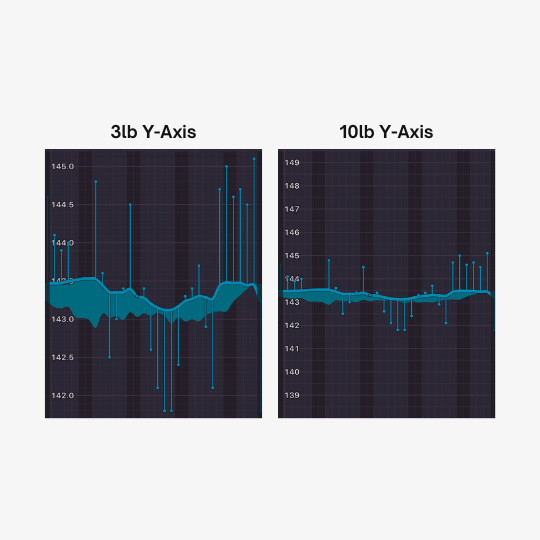
Set minimum weight span to 10lbs and ensure the two extension settings above it are toggled off

Why do this?
These are the exact same data set.
The difference? the y-axis scale. both show a completely flat trendline, but the left appears as if normal fluctuations are causing “significant” weight swings.